
This post may contain affiliate links. As an Amazon Associate, I earn from qualifying purchases
Welcome back to Human & Hammer, your friendly guide to smarter, safer homes.
If you’ve already automated your lighting or thermostat, the next big step is smart home security.
The good news? It’s easier than ever — no messy wiring, no monthly contracts, and you can monitor everything from your phone.
This guide breaks down the essentials: smart cameras, doorbells, and sensors — and shows you exactly where to start for maximum safety and peace of mind.
🚪 Why Choose Smart Security?
Traditional security systems used to mean high installation fees and long-term subscriptions.
Now, all you need are a few connected devices and a solid Wi-Fi network.
Here’s why smart security makes sense in 2025:
✅ Real-time motion alerts straight to your phone
✅ Two-way talk to answer your door from anywhere
✅ Cloud or local video recording
✅ Integration with Alexa, Google Home, and Apple HomeKit
✅ Quick DIY setup — no technician needed
💬 Imagine getting a ping when a package arrives, or checking your front porch while you’re on vacation.
🎥 Step 1: Start with a Smart Camera
Smart cameras are the foundation of any home security setup.
They keep an eye on entrances, driveways, or living areas — and most now include night vision and motion detection.
🧩 Types of Cameras
| Type | Best For | Example |
| Indoor Cameras | Kids, pets, or general monitoring | Blink Mini Indoor Camera |
| Outdoor Cameras | Driveway, backyard, garage | Arlo Pro 5 Outdoor Camera |
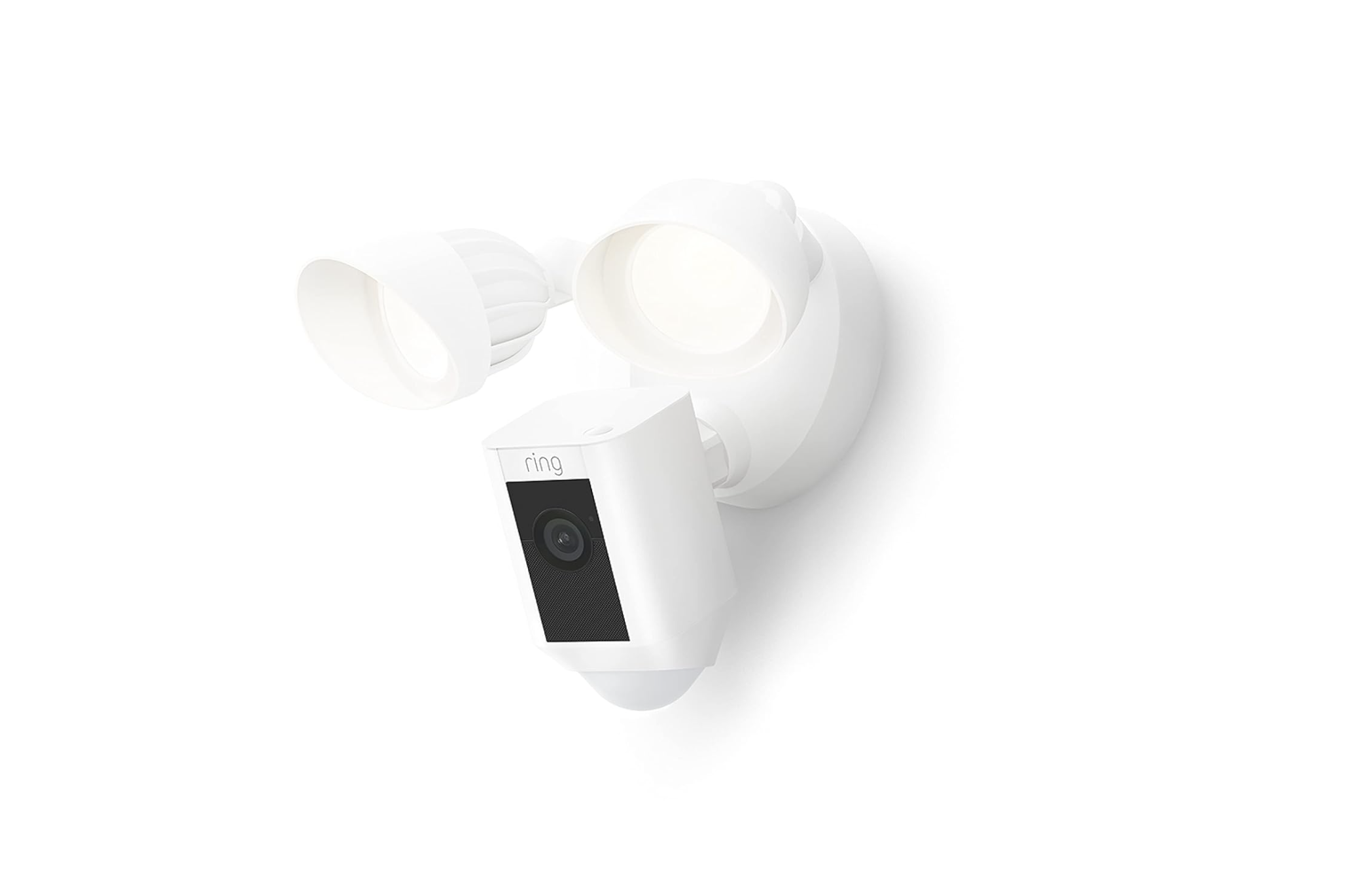
| Floodlight Cameras | Motion lighting + recording | Ring Floodlight Cam Plus |
⭐ Features to Look For
- 1080p or 2K video resolution
- Two-way audio
- Mobile alerts
- Local storage (microSD) or cloud backup
- Weatherproof rating (for outdoors)
💡 Tip: Place cameras 7–9 feet high for the best view without being easy to tamper with.
🔔 Step 2: Add a Smart Doorbell Camera
Smart doorbells are your first line of defense — they let you see, hear, and talk to visitors right from your phone.
🏆 Top Picks for 2025
| Model | Best For | Price | Link |
| Ring Video Doorbell 4 | Most popular, reliable alerts | $$ | View on Amazon |
| Google Nest Doorbell (Battery) | Google ecosystem users | $$ | View on Amazon |
| Eufy Security Video Doorbell 2K | No monthly fees, great image quality | $$ | View on Amazon |
📲 Why You’ll Love It
- Motion alerts before anyone even rings
- Two-way talk from your phone or Echo device
- Clear video day or night
- Some models can detect packages and people separately
💬 Bonus: When paired with Alexa or Google, you can say “Show me the front door” on your smart display.
🧱 Step 3: Secure Entry Points with Sensors
Door/window sensors are small devices that instantly alert you when an entry opens or closes.
They’re the unsung heroes of smart home security.
🔗 Must-Have Sensor Types
| Sensor | Purpose | Example |
| Contact Sensors | Doors, windows, cabinets | Ring Alarm Contact Sensor (2nd Gen) |
| Motion Sensors | Hallways, garages | Philips Hue Motion Sensor |
| Glass Break Sensors | Windows and sliding doors | Aqara Vibration Sensor |
💡 Pro Tip: Combine sensors with lighting automations — for example, “If front door opens → turn on hallway light.”
🧠 Step 4: Integrate Everything into One App
Managing three different apps gets old fast.
To simplify, connect all your security devices into your preferred ecosystem:
| Ecosystem | Compatible Brands | Voice Command Example |
| Alexa | Ring, Blink, Arlo, Eufy | “Alexa, show me the driveway.” |
| Google Home | Nest, TP-Link, Arlo | “Hey Google, record the front door.” |
| Apple HomeKit | Eve, Logitech Circle, Aqara | “Hey Siri, arm my home.” |
📱 Once connected, you can control cameras, view live feeds, and receive alerts from one dashboard.
🔐 Step 5: Protect Your Privacy & Data
Smart security means protecting your footage as much as your front door.
🔒 Security Checklist
- Enable two-factor authentication (2FA) in all apps
- Use strong passwords and avoid reusing them
- Regularly update camera firmware
- Review who has access to shared devices
- Use encrypted local storage if available (Eufy and Arlo support this)
💬 Pro tip: Create a dedicated “SmartHome” Wi-Fi network just for cameras and IoT devices.
(If you haven’t yet, check our guide: How to Set Up a Secure Smart Home Wi-Fi Network)
⚙️ Step 6: Placement & Coverage Tips
| Area | Recommended Device | Notes |
| Front Door | Smart Doorbell | Covers main entry & packages |
| Driveway | Outdoor Camera | Wide-angle, weatherproof |
| Living Room | Indoor Camera | Pet + motion alerts |
| Windows | Contact Sensors | Add to ground-level windows |
| Garage | Motion Sensor | Triggers lights & alerts |
📍 Always angle cameras downward slightly to avoid glare and capture faces clearly.
🔋 Step 7: Subscription vs. Local Storage
Many brands now give you the option to store recordings locally.
| Brand | Local Storage | Subscription Required? |
| Eufy | Yes | ❌ Optional |
| Ring | No | ✅ ($3/month per device) |
| Nest | No | ✅ ($6–$12/month) |
| Arlo | Yes (with base station) | ❌ Optional |
🏁 Final Thoughts
Smart home security doesn’t need to be complicated.
Start with one or two devices — like a smart doorbell and an indoor camera — then expand to full coverage over time.
💬 Human & Hammer Tip: Begin with your front door. It’s the most vulnerable point of entry and the easiest to secure with one smart device.
Once you try it, you’ll wonder how you ever lived without seeing who’s at your door from your phone.
🔗 Quick Shopping Links Recap
| Category | Product | Link |
| Doorbell | Ring Video Doorbell 4 | Amazon Link |
| Doorbell | Google Nest Doorbell (Battery) | Amazon Link |
| Doorbell | Eufy Security Video Doorbell 2K | Amazon Link |
| Camera | Arlo Pro 5 Outdoor Camera | Amazon Link |
| Camera | Blink Mini Indoor Camera | Amazon Link |
| Sensors | Ring Contact Sensor | Amazon Link |
| Sensors | Philips Hue Motion Sensor | Amazon Link |
| Sensors | Aqara Vibration Sensor | Amazon Link |