
This post may contain affiliate links. As an Amazon Associate, I earn from qualifying purchases
Welcome back to Human & Hammer, where we make smart living possible for everyone — even renters.
Think smart homes are only for homeowners? Think again.
You can create a modern, voice-controlled, energy-efficient home without drilling, rewiring, or breaking your lease.
In this guide, we’ll show you exactly how to build a smart home for renters using plug-in, portable, and adhesive smart devices — all easy to install and remove when you move out.
🧠 Why Renters Should Go Smart
A smart home isn’t about fancy tech — it’s about comfort, convenience, and control.
You can make your apartment safer, cozier, and more efficient with simple add-ons you can take with you later.
✅ Perfect for renters because:
- No wiring or permanent installation
- Works with Wi-Fi (no hub needed)
- Easy to move and reuse in your next home
- Adds real value to your daily life
💬 Pro Tip: When you move out, just unplug and patch small adhesive spots — your landlord will never know.
💡 Step 1: Start with Smart Plugs
Smart plugs are the easiest and most affordable way to make any device smart.
They turn regular lamps, fans, and coffee makers into Wi-Fi-connected devices you can control with your phone or voice.
| Model | Works With | Price | Link |
| TP-Link Kasa Smart Plug Mini (2-Pack) | Alexa / Google / SmartThings | $25 | View on Amazon |
| Amazon Smart Plug | Alexa only | $24 | View on Amazon |
| Govee Dual Plug | Alexa / Google | $22 | View on Amazon |
💡 Routine idea:
“Alexa, good morning.” → turns on your lamp and coffee maker at the same time.
🔦 Step 2: Add Smart Bulbs for Instant Ambience
No tools required — just swap your regular bulbs for smart ones.
Control brightness, color, and schedules right from your phone.
| Bulb | Features | Link |
| Philips Hue White & Color Ambiance | 16M colors, app & voice control | View on Amazon |
| Sengled Smart Bulbs | Affordable, Wi-Fi direct (no hub) | View on Amazon |
| Govee Smart Bulbs | Music sync & RGB effects | View on Amazon |
💬 Example: “Hey Google, movie time.” → lights dim to warm amber instantly.
🔐 Step 3: Secure Your Space Without Screws
You can still protect your apartment with wireless smart security.
🛡️ Best No-Wire Options
| Device | Type | Link |
|---|---|---|
| Eufy SoloCam S220 | Battery + solar, no wiring | View on Amazon |
| Blink Mini Camera | Plug-in indoor monitoring | View on Amazon |
| Ring Alarm Contact Sensor (Adhesive) | Door/window alerts | View on Amazon |
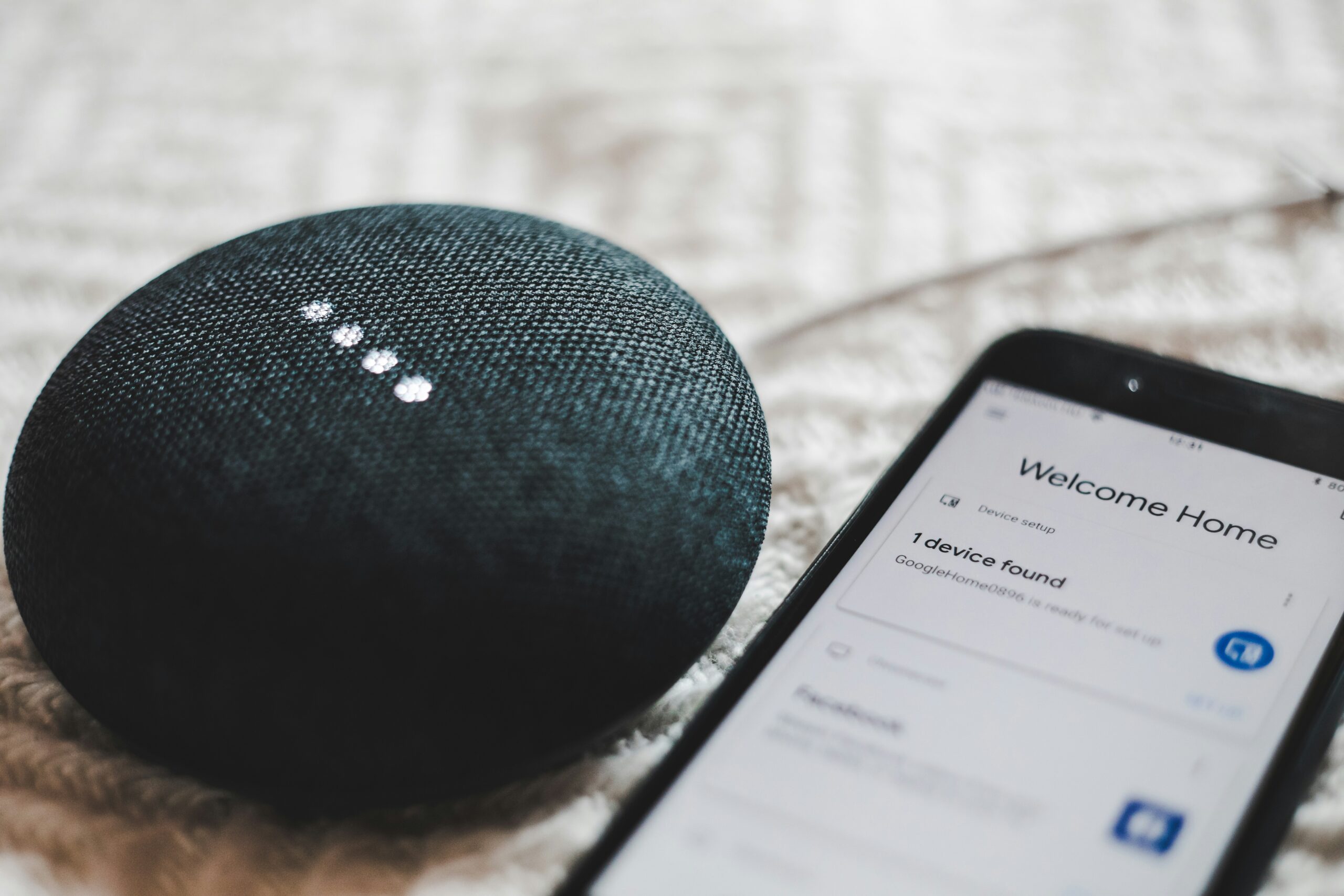
🔊 Step 4: Set Up Voice Control
Voice assistants make your apartment feel futuristic instantly — no rewiring needed.
| Device | Ecosystem | Highlight | Link |
|---|---|---|---|
| Amazon Echo Dot (5th Gen) | Alexa | Compact and affordable | View on Amazon |
| Google Nest Mini (2nd Gen) | Google Home | Great sound for size | View on Amazon |
| Apple HomePod mini | HomeKit | Best for Apple users | View on Amazon |
💬 Example Commands
- “Alexa, turn off all lights.”
- “Hey Google, lock the door.”
- “Hey Siri, good night.”
You can control every smart plug, light, or sensor you install — hands-free.
🔥 Step 5: Control Temperature (No Tools Needed)
Even if you can’t replace the thermostat, you can still automate comfort.
🧩 Easy Alternatives
- Smart Portable Heater Plug-In — use with a smart plug for schedule control
- Smart Fan or AC Adapter Plug — adjust remotely or by voice
- Room Sensor or Thermometer — track temps with Govee Smart Hygrometer → View on Amazon
💡 Idea: Use a Kasa Smart Plug to automate your heater:
“Alexa, turn on the heater at 6 AM.”
🧩 Step 6: Add Peel-and-Stick Smart Sensors
Stick-on sensors are perfect for renters — zero damage and big functionality.
🔗 Top Stick-On Devices
| Device | Purpose | Link |
|---|---|---|
| Aqara Motion Sensor | Automate lights by movement | View on Amazon |
| SwitchBot Contact Sensor | Detect door or window openings | View on Amazon |
| Wyze Leak Sensor | Prevent water damage near sinks | View on Amazon |
💬 Routine idea: Motion in kitchen → turns on lights automatically.
🌈 Step 7: Create Routines That Work for You
You don’t need to own the place to make it feel like home.
Set up daily automations that make your space comfortable and efficient.
💡 Smart Routine Ideas for Renters
- “Alexa, I’m home.” → turns on lights and fan.
- “Hey Google, good night.” → powers off plugs and locks doors.
- “Siri, study mode.” → sets cool light tone and soft music.
⭐ Start small, and expand as you go — most renter setups cost under $200 total.
🏡 Example Renter Smart Setup
| Area | Devices | Automation |
|---|---|---|
| Living Room | Smart plugs + color bulbs | “Movie time” dimming routine |
| Bedroom | Smart lamp + motion sensor | Auto-on at sunset |
| Entryway | Contact sensor + camera | Sends alert when door opens |
🧰 Step 8: Moving Out? Take It All With You
One of the best parts about smart devices for renters is portability.
When it’s time to move:
✅ Unplug or unstick everything carefully.
✅ Use rubbing alcohol to remove adhesive pads.
✅ Take your setup to your next home and reconnect to Wi-Fi.
💬 Your smart home moves with you — it’s an investment, not an expense.
🏁 Final Thoughts
Renting doesn’t mean you can’t enjoy a smart, comfortable home.
With plug-in and peel-and-stick gadgets, you can transform any apartment into a voice-controlled, energy-saving space — all without losing your deposit.
💬 Human & Hammer Tip: Focus on devices you can re-use anywhere — smart plugs, bulbs, and portable cameras are your best friends.
🔗 Quick Shopping Links Recap
(Add your Amazon affiliate links once approved)
| Category | Product | Link |
|---|---|---|
| Smart Plug | TP-Link Kasa Smart Plug Mini | Amazon Link |
| Smart Plug | Amazon Smart Plug | Amazon Link |
| Smart Bulb | Philips Hue White & Color Ambiance | Amazon Link |
| Security | Blink Mini Indoor Camera | Amazon Link |
| Sensor | Aqara Motion Sensor | Amazon Link |
| Hub | Echo Dot (5th Gen) | Amazon Link |
| Hub | Google Nest Mini | Amazon Link |
| Thermometer | Govee Smart Hygrometer | Amazon Link |